
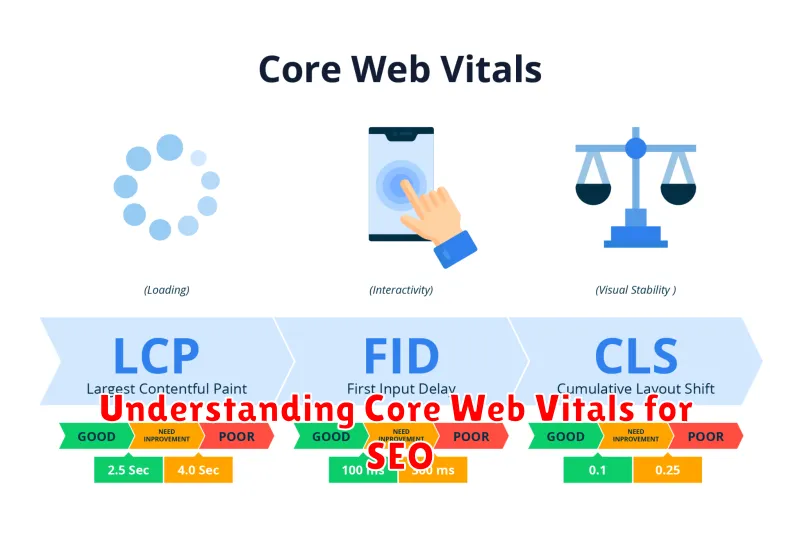
In today’s competitive digital landscape, search engine optimization (SEO) is paramount for online success. Understanding and optimizing for Core Web Vitals is now a crucial aspect of achieving high search engine rankings. Core Web Vitals are a set of metrics that measure real-world user experience, focusing on aspects such as loading performance, interactivity, and visual stability. This article delves into the specifics of Core Web Vitals and how they impact your SEO efforts. Mastering these metrics is essential for driving organic traffic, improving user engagement, and ultimately boosting your website’s visibility in search results. By understanding how Core Web Vitals influence SEO, you can take the necessary steps to enhance your website’s performance and achieve higher rankings.
Google uses Core Web Vitals as a ranking signal, meaning that websites with excellent user experience as measured by these metrics are more likely to rank higher. This article will provide a comprehensive overview of the three key Core Web Vitals metrics: Largest Contentful Paint (LCP), First Input Delay (FID), and Cumulative Layout Shift (CLS). We will explore the importance of each metric, discuss how to measure them effectively, and provide actionable strategies for improving your scores. Optimizing your website for Core Web Vitals is an investment in both user experience and SEO, helping you attract more visitors and convert them into loyal customers. By the end of this article, you will have a firm grasp of how to leverage Core Web Vitals for SEO success.
What Are Core Web Vitals?
Core Web Vitals are a set of metrics that measure real-world user experience on the web. They provide a unified way to quantify key aspects of a webpage’s performance, focusing on what matters most to users: loading, interactivity, and visual stability.
These metrics are crucial because they offer standardized signals about a page’s usability. Google utilizes Core Web Vitals as ranking factors in search results. This means a website with good Core Web Vitals scores is more likely to rank higher than a website with poor scores, assuming all other SEO factors are equal.
The Core Web Vitals are comprised of three specific metrics:
- Largest Contentful Paint (LCP): Measures loading performance. LCP marks the point in the page load timeline when the main content has likely loaded.
- First Input Delay (FID): Measures interactivity. FID quantifies the experience users have when they first try to interact with the page.
- Cumulative Layout Shift (CLS): Measures visual stability. CLS quantifies the amount of unexpected layout shift of visible page content.
Largest Contentful Paint (LCP)
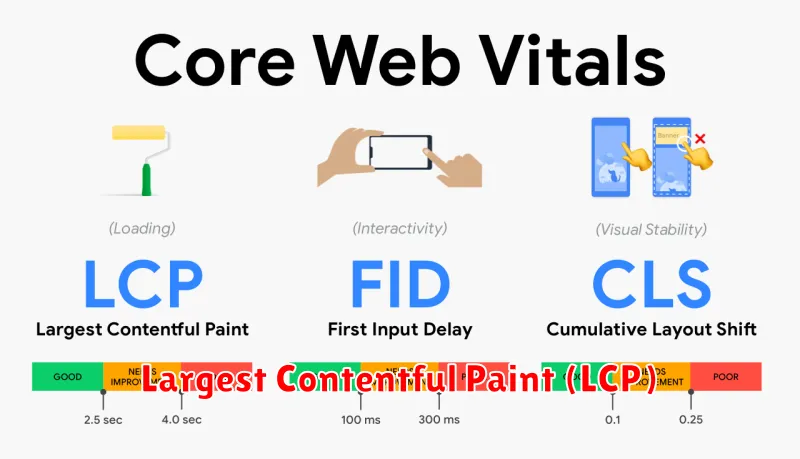
Largest Contentful Paint (LCP) measures loading performance. It reports the render time of the largest image or text block visible within the viewport, relative to when the page first started loading.
A good LCP score ensures that users can see and interact with meaningful content quickly. A slow LCP can lead to a poor user experience, as users are left staring at a blank screen or incomplete page.
Optimizing LCP often involves improving image optimization, optimizing web fonts, and addressing issues that delay the rendering of the largest element on the page.
| LCP Score | Assessment |
|---|---|
| 0-2.5 seconds | Good |
| 2.5-4 seconds | Needs improvement |
| Over 4 seconds | Poor |
First Input Delay (FID)
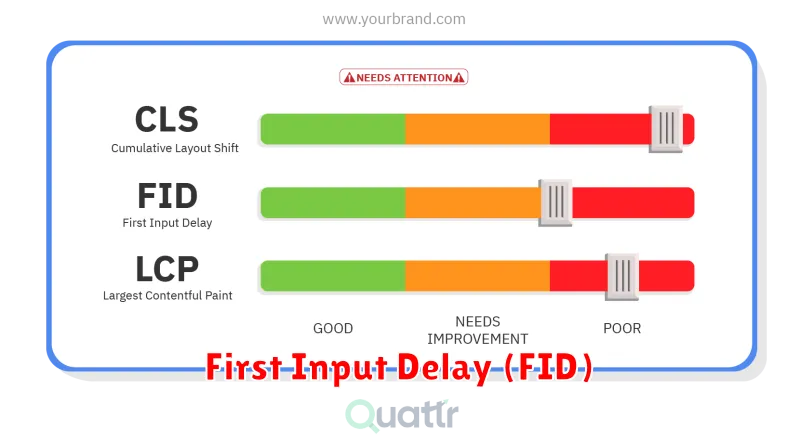
First Input Delay (FID) measures the responsiveness of a page to user interaction. Specifically, it quantifies the time it takes for the browser to begin processing an event after a user first interacts with the page. These interactions include clicks, taps, and key presses.
A low FID is crucial for a good user experience. A page that takes too long to respond to user input can feel sluggish and unresponsive, leading to user frustration and potentially higher bounce rates. FID focuses on the delay before processing begins, not the total processing time itself.
Key Considerations for FID:
- Minimize long tasks that block the main thread.
- Optimize JavaScript execution.
- Use a service worker to handle some tasks off the main thread.
A good FID score is generally considered to be below 100 milliseconds. Anything above this threshold can start to negatively impact the user experience.
Cumulative Layout Shift (CLS)
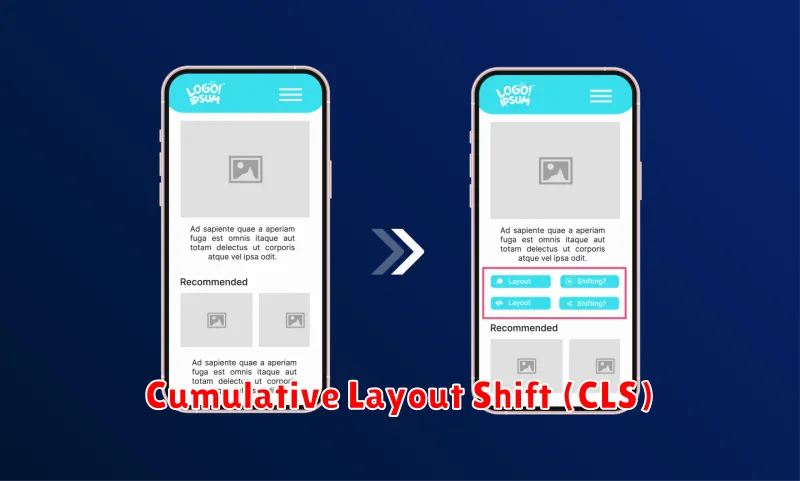
Cumulative Layout Shift (CLS) measures visual stability. It quantifies how much elements shift unexpectedly on the page during load. A low CLS helps ensure a smooth and predictable user experience.
CLS is calculated by summing individual layout shift scores. A layout shift occurs anytime a visible element changes its start position from one rendered frame to the next. Unexpected shifts are particularly detrimental to user experience.
Common causes of a high CLS include images without dimensions, dynamically injected content, web fonts causing FOIT/FOUT, and actions waiting for a network response before updating DOM.
A good CLS score is 0.1 or less. Aiming for this value ensures users are not disrupted by unexpected movement of content as the page loads.
Improving Scores Step by Step
Optimizing Core Web Vitals is an iterative process. Start by identifying areas needing improvement. Use tools like PageSpeed Insights to pinpoint specific issues impacting your Largest Contentful Paint (LCP), First Input Delay (FID), and Cumulative Layout Shift (CLS).
Address LCP issues by optimizing images, leveraging caching, and prioritizing above-the-fold content. Minimize render-blocking resources and pre-load key elements.
For FID, minimize JavaScript execution time, break down long tasks, and optimize third-party scripts. Consider using a service worker to handle tasks in the background.
To reduce CLS, specify image and video dimensions. Reserve space for ad placements and avoid inserting content above existing content after the initial page load.
Continuously monitor your progress and re-test after implementing changes. Track the impact of optimizations on your website’s performance and user experience.
Tools to Monitor Vitals
Monitoring Core Web Vitals is crucial for understanding your website’s performance and user experience. Several tools provide valuable insights into these metrics.
PageSpeed Insights is a popular tool developed by Google. It analyzes your website and provides recommendations for improvement. It scores your website based on various metrics, including Core Web Vitals.
Google Search Console offers a Core Web Vitals report that shows how your pages perform in the real world. It aggregates data from users interacting with your site. This data offers a valuable, real-user perspective on your website’s performance.
Chrome User Experience Report (CrUX) provides user experience data from Chrome users who have opted in to syncing their browsing history. This data set is publicly available and can offer broader insights into website performance trends.
Other useful tools include web performance monitoring platforms like Lighthouse, available as a Chrome extension and a command-line tool, and commercial tools that provide real-time monitoring and alerting.
